首页顶部
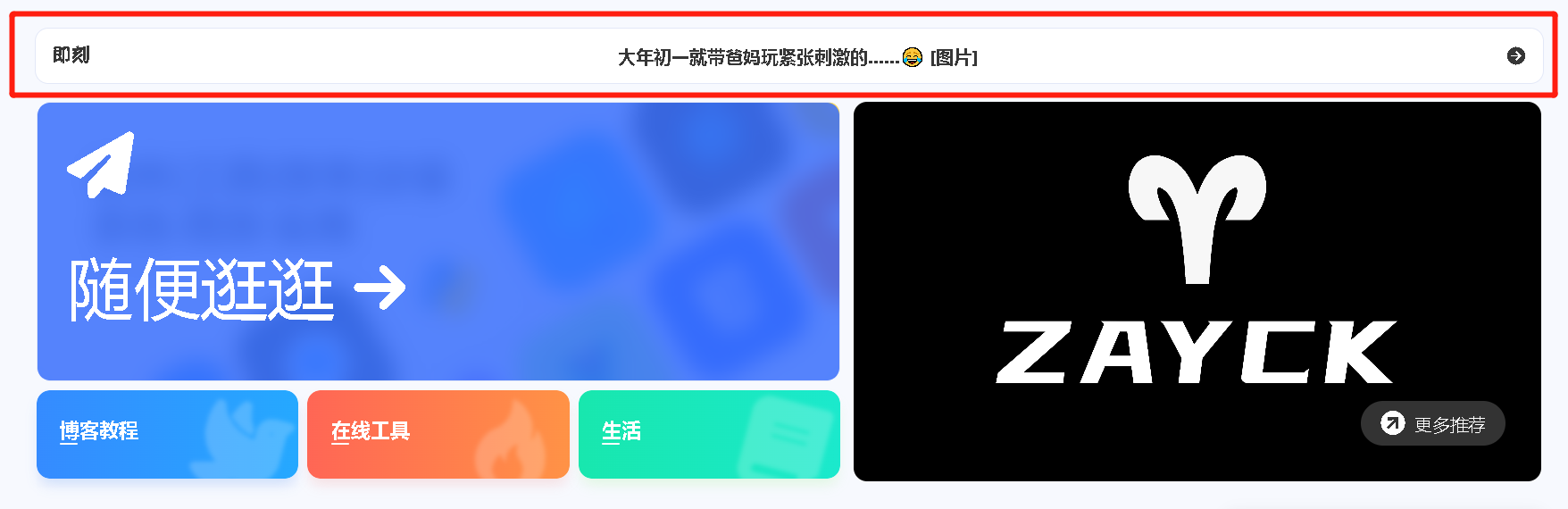
即刻短文

博客根目录下打开 vscode,运行
打开 source/essay/index.md 进行修改
1
2
3
4
5
6
7
8
| ---
title: 即刻短文
date: 2023-08-30 22:43:40
comments: true
aside: false
top_img: false
type: essay
---
|
新建source/_data/essay.yml,输入以下内容
1
2
3
4
5
6
7
8
9
10
11
12
13
14
15
16
17
18
19
20
21
22
23
24
25
26
27
28
| - title: 即刻短文
subTitle: 分享生活的小确幸
tips: 使用 即刻短文静态部署版 构建
buttonText: 关于我
buttonLink: /about/
limit: 30
home_essay: true
top_background: https://f.pz.al/pzal/2023/08/30/2af54f9b65eb6.jpg
essay_list:
- content: “妈妈,有人拍我们!”“摆个 pose 呗。”
date: 2019/09/28 10:00:00
image:
- https://f.pz.al/pzal/2023/08/30/2af54f9b65eb6.jpg
- https://f.pz.al/pzal/2023/08/30/22ab6011d9d17.jpg
- https://f.pz.al/pzal/2023/08/30/22ab6011d9d17.jpg
- content: 大年初一就带爸妈玩紧张刺激的……😂
date: 2021/02/12 10:00:00
address: 白石山
image:
- https://f.pz.al/pzal/2023/08/30/5371d725f6da9.jpg
- https://f.pz.al/pzal/2023/08/30/db8f08a17c46e.jpg
- https://f.pz.al/pzal/2023/08/30/5d007e42e58c3.jpg
- https://f.pz.al/pzal/2023/08/30/c38342ee97deb.jpg
- https://f.pz.al/pzal/2023/08/30/5921e42d1d8b8.jpg
- https://f.pz.al/pzal/2023/08/30/7ad9aebb51767.jpg
- https://f.pz.al/pzal/2023/08/30/977b0f0406723.jpg
- https://f.pz.al/pzal/2023/08/30/fcd365a97e40e.jpg
- https://f.pz.al/pzal/2023/08/30/a3e7123a21ba4.jpg
|
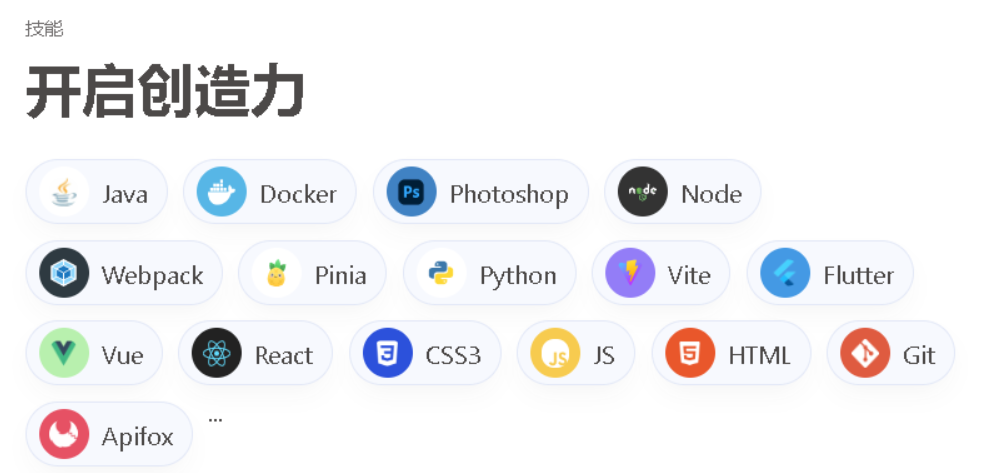
技能点配置
新建 /source/_data/creativity.yml,输入以下内容
1
2
3
4
5
6
7
8
9
10
11
12
13
14
15
16
17
18
19
20
21
22
23
24
25
26
27
28
29
30
31
32
33
34
35
36
37
38
39
40
41
42
43
44
45
46
47
48
49
50
| - class_name: 开启创造力
creativity_list:
- name: Java
color: "#fff"
icon: https://bu.dusays.com/2023/04/09/643293b1184e9.jpg
- name: Docker
color: "#57b6e6"
icon: https://bu.dusays.com/2023/04/09/643293b0f0abe.png
- name: Photoshop
color: "#4082c3"
icon: https://bu.dusays.com/2022/12/15/639aa3a5c240e.png
- name: Node
color: "#333"
icon: https://npm.elemecdn.com/anzhiyu-blog@2.1.1/img/svg/node-logo.svg
- name: Webpack
color: "#2e3a41"
icon: https://bu.dusays.com/2023/04/09/643293b68026c.png
- name: Pinia
color: "#fff"
icon: https://npm.elemecdn.com/anzhiyu-blog@2.0.8/img/svg/pinia-logo.svg
- name: Python
color: "#fff"
icon: https://bu.dusays.com/2023/04/09/643293b1230f7.png
- name: Vite
color: "#937df7"
icon: https://npm.elemecdn.com/anzhiyu-blog@2.0.8/img/svg/vite-logo.svg
- name: Flutter
color: "#4499e4"
icon: https://bu.dusays.com/2023/04/09/643293b1055c2.png
- name: Vue
color: "#b8f0ae"
icon: https://bu.dusays.com/2023/04/09/643293b6788bd.png
- name: React
color: "#222"
icon: data:image/svg+xml;base64,PHN2ZyB4bWxucz0iaHR0cDovL3d3dy53My5vcmcvMjAwMC9zdmciIHZpZXdCb3g9Ii0xMS41IC0xMC4yMzE3NCAyMyAyMC40NjM0OCI+CiAgPHRpdGxlPlJlYWN0IExvZ288L3RpdGxlPgogIDxjaXJjbGUgY3g9IjAiIGN5PSIwIiByPSIyLjA1IiBmaWxsPSIjNjFkYWZiIi8+CiAgPGcgc3Ryb2tlPSIjNjFkYWZiIiBzdHJva2Utd2lkdGg9IjEiIGZpbGw9Im5vbmUiPgogICAgPGVsbGlwc2Ugcng9IjExIiByeT0iNC4yIi8+CiAgICA8ZWxsaXBzZSByeD0iMTEiIHJ5PSI0LjIiIHRyYW5zZm9ybT0icm90YXRlKDYwKSIvPgogICAgPGVsbGlwc2Ugcng9IjExIiByeT0iNC4yIiB0cmFuc2Zvcm09InJvdGF0ZSgxMjApIi8+CiAgPC9nPgo8L3N2Zz4K
- name: CSS3
color: "#2c51db"
icon: https://bu.dusays.com/2022/12/15/639aa3a5c251e.png
- name: JS
color: "#f7cb4f"
icon: https://bu.dusays.com/2023/04/09/643293b121f02.png
- name: HTML
color: "#e9572b"
icon: https://bu.dusays.com/2022/12/15/639aa3a5c241c.png
- name: Git
color: "#df5b40"
icon: https://bu.dusays.com/2023/04/09/643293b10ccdd.webp
- name: Apifox
color: "#e65164"
icon: https://bu.dusays.com/2022/11/19/6378d6458c6b6.png
|
这个时候,可以看到 首页顶部 和 关于页面 都已经有技能点的轮播了。
轮播图文字
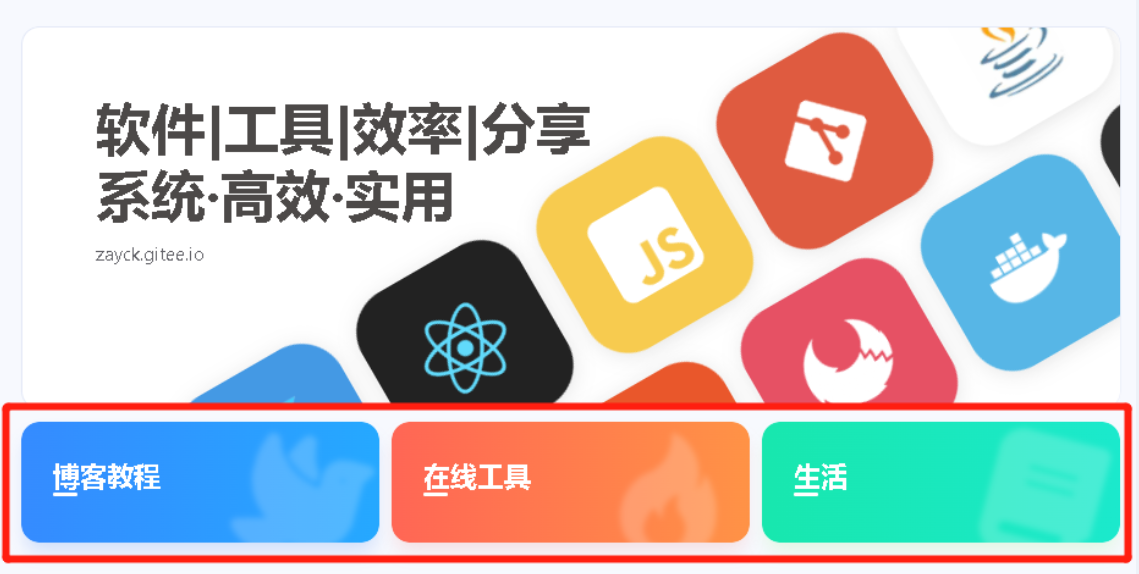
修改根目录下 _config.anzhiyu.yml 的 home_top
1
2
3
4
5
6
| home_top:
enable: true # 开关
timemode: date #date/updated
title: 软件|工具|效率|分享
subTitle: 系统·高效·实用
siteText: zayck.gitee.io
|
分类导航
修改根目录下 _config.anzhiyu.yml 的 banner
1
2
3
4
5
6
7
8
9
10
11
12
13
14
15
16
| category:
- name: 博客教程
path: /categories/博客教程/
shadow: var(--anzhiyu-shadow-blue)
class: blue
icon: anzhiyu-icon-dove
- name: 在线工具
path: /categories/tlink/
shadow: var(--anzhiyu-shadow-red)
class: red
icon: anzhiyu-icon-fire
- name: 生活
path: /categories/生活日常/
shadow: var(--anzhiyu-shadow-green)
class: green
icon: anzhiyu-icon-book
|
头图推荐
修改根目录下 _config.anzhiyu.yml 的 banner
1
2
3
4
5
| banner:
tips:
title:
image: https://f.pz.al/pzal/2023/08/28/350ad4f5b364a.jpg
link: /about/
|
首页右侧
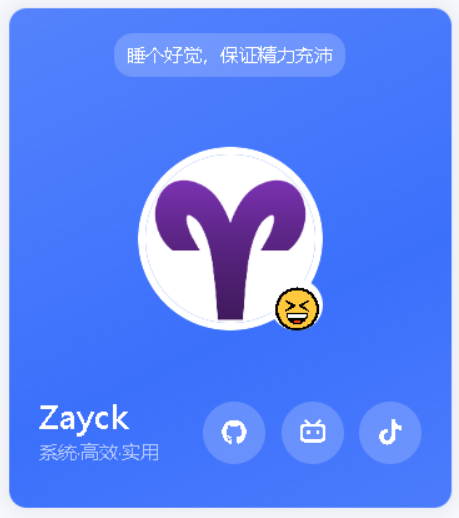
作者卡片
作者头像
修改根目录下 _config.anzhiyu.yml 的 Avatar
1
2
3
4
| # Avatar (头像)
avatar:
img: https://f.pz.al/pzal/2023/08/28/9abb2f3a51d2f.png
effect: false
|
作者状态
修改根目录下 _config.anzhiyu.yml 的 author_status
1
2
3
4
| # 作者卡片 状态
author_status:
enable: true
status: 😁
|
社交图标
修改根目录下 _config.anzhiyu.yml 的 Avatar
1
2
3
4
| social:
github: https://github.com/zayck || anzhiyu-icon-github
BiliBili: https://space.bilibili.com/341981702 || anzhiyu-icon-bilibili
Tiktok: https://v.douyin.com/iJV4f4AF || anzhiyu-icon-tiktok
|
微信卡片
修改根目录下 _config.anzhiyu.yml 的 card_weixin
1
2
3
4
| card_weixin:
enable: true
face: https://bu.dusays.com/2023/01/13/63c02edf44033.png
backFace: https://f.pz.al/pzal/2023/08/29/7b1cd8856f9f1.png
|
数据卡片
访问人数
修改根目录下 _config.anzhiyu.yml 的 busuanzi
1
2
3
4
5
| # 访问人数
busuanzi:
site_uv: true
site_pv: true
page_pv: true
|
运行天数
修改根目录下 _config.anzhiyu.yml 的 runtimeshow
1
2
3
| runtimeshow:
enable: true
publish_date: 12/31/2022 00:00:00
|
字数统计
💻安装插件
1
2
3
| npm install hexo-wordcount --save
或者
yarn add hexo-wordcount
|
修改根目录下 _config.anzhiyu.yml 的 wordcount
1
2
3
4
5
| wordcount:
enable: true
post_wordcount: true
min2read: true
total_wordcount: true
|
首页左下角
Live 2D
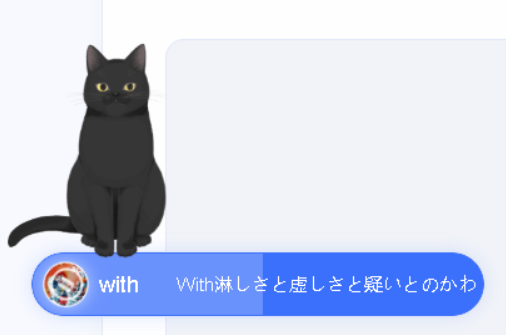
在页面的下方增加一个看板娘,会跟随鼠标变化。有多种样式可选,可以调整大小和位置。
1
2
| # 安装live2d
npm install --save hexo-helper-live2d
|
1
2
| # 安装模型
npm install --save live2d-widget-model-koharu
|
修改根目录下 _config.yml 的 live2d
1
2
3
4
5
6
7
8
9
10
11
12
13
14
15
16
17
| # Live2D
## https://github.com/EYHN/hexo-helper-live2d
live2d:
enable: true #开关插件版看板娘
scriptFrom: local # 默认
# scriptFrom: https://cdn.cbd.int/live2d-widget@3.x/lib/L2Dwidget.min.js # 你的自定义 url
tagMode: false # 标签模式, 是否仅替换 live2d tag标签而非插入到所有页面中
debug: false # 调试, 是否在控制台输出日志
model:
use: live2d-widget-model-hijiki # npm-module package name
# use: https://unpkg.com/live2d-widget-model-hijiki@1.0.5/assets/hijiki.model.json # 你的自定义 url
display:
position: left #控制看板娘位置
width: 150 #控制看板娘大小
height: 300 #控制看板娘大小
mobile:
show: false # 手机中是否展示
|
音乐胶囊
修改根目录下 _config.anzhiyu.yml 的 nav_music
1
2
3
4
5
6
| nav_music:
enable: true
console_widescreen_music: false # 宽屏状态控制台显示音乐而不是标签 enable为true 控制台依然会显示
id: 9002792233
server: tencent
all_playlist: /music/?id=9002792233&server=tencent
|
首页底部
社交图标
修改根目录下 _config.anzhiyu.yml 的 socialBar
1
2
3
4
5
6
7
8
9
10
11
12
13
14
15
16
17
18
19
20
21
22
23
24
25
26
27
28
29
| socialBar:
enable: true
centerImg:
left:
- title: email
link: mailto:13610147631@126.com
icon: anzhiyu-icon-envelope
- title: 微博
link: https://weibo.com/u/2675532694
icon: anzhiyu-icon-weibo
- title: 知乎
link: https://www.zhihu.com/people/shao-yang-shou-ji/posts
icon: icon-zhihu1
- title: RSS
link: atom.xml
icon: anzhiyu-icon-rss
right:
- title: Github
link: https://github.com/zayck
icon: anzhiyu-icon-github
- title: Bilibili
link: https://space.bilibili.com/341981702
icon: anzhiyu-icon-bilibili
- title: 抖音
link: https://v.douyin.com/iJV4f4AF/
icon: anzhiyu-icon-tiktok
- title: CC
link: /copyright
icon: anzhiyu-icon-copyright-line
|
导航列表
修改根目录下 _config.anzhiyu.yml 的 footer 下属 list
1
2
3
4
5
6
7
8
9
10
11
12
13
14
15
16
17
18
19
20
21
22
23
24
25
26
27
28
29
30
31
32
33
34
35
36
37
38
39
40
41
42
43
44
| list:
enable: true
# randomFriends: 3
project:
- title: 少阳手记
links:
- title: 玩易
link: /tags/易经/
- title: 心猿
link: /tags/启示录/
- title: 意马
link: /tags/思维/
- title: 少阳研究所
links:
- title: 效率软件
link: /docs/
- title: 神级网站
link: https://github.com/anzhiyu-c/hexo-theme-anzhiyu
- title: 浏览器插件
link: /update/
- title: 教程
links:
- title: Hexo魔改
link: /categories/Hexo魔改/
- title: Obsidian
link: /categories/Obsidian/
- title: 导航
links:
- title: 即刻短文
link: /essay/
- title: 文章总览
link: /archives/
# - title: 在线工具
# link: /tlink/
- title: 网站源码
link: https://github.com/zayck
- title: 协议
links:
- title: 隐私协议
link: /privacy/
- title: Cookies
link: /cookies/
- title: 版权协议
link: /copyright/
|
徽标设置
修改根目录下 _config.anzhiyu.yml 的 bdageitem
1
2
3
4
5
6
7
8
9
10
11
12
13
14
15
16
17
18
| bdageitem:
enable: true
list:
- link: https://hexo.io/ #徽标指向网站链接
shields: https://npm.elemecdn.com/anzhiyu-blog@2.1.5/img/badge/Frame-Hexo.svg #徽标API
message: 博客框架为Hexo_v5.4.0 #徽标提示语
- link: https://blog.anheyu.com/
shields: https://img.shields.io/badge/Theme-Butterfly-6513df?style=flat&logo=bitdefender
message: 本站使用Butterfly主题
- link: https://www.jsdelivr.com/
shields: https://img.shields.io/badge/CDN-jsDelivr-orange?style=flat&logo=jsDelivr
message: 本站使用JsDelivr为静态资源提供CDN加速
- link: https://github.com/
shields: https://npm.elemecdn.com/anzhiyu-blog@2.1.5/img/badge/Source-Github.svg
message: 本站项目由Github托管
- link: http://creativecommons.org/licenses/by-nc-sa/4.0/
shields: https://npm.elemecdn.com/anzhiyu-blog@2.2.0/img/badge/Copyright-BY-NC-SA.svg
message: 本站采用知识共享署名-非商业性使用-相同方式共享4.0国际许可协议进行许可
|
页脚
修改根目录下 _config.anzhiyu.yml 的 footer 和 footerBar
1
2
3
4
| footer:
owner:
enable: true
since: 2022
|
1
2
3
4
5
6
7
8
9
| footerBar:
enable: true
authorLink: /
cc:
enable: true
link: /copyright
linkList:
- link: /about/
text: 关于本站
|